|
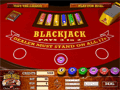
We invite you to try any of our free games.
We hope you enjoy them! If at any time you would like to start betting
with real money, we invite you to try our recommended
casino games.
Free
Casino Games Downloads:
Click on a thumbnail of a casino game and a
new window will appear. Wait until the program is finished loading
and then you can start playing. Very simple.
Downloads:
Click on a "Download Games"
link , and a window will pop up asking you to choose where to save
the casino game software. All you have to do is save the installation
program in to your computer and run the progarm to complete the
download process.
Here's the detailed instructions:
1. Once you click the Download button, the "File
Download" dialog box will appear: Select "Save this program
to disk" and click the "OK" button.
2. A "Save As" dialog box will appear.
Select "Desktop" from the "Save in" drop-down
menu at the top. It is recommended not to change the file name.
Click the "Save" button.
3. Wait until the download process is finished.
Please stand by...
4. Once the download is complete, double click
the casino setup icon on your desktop to start installation.
5. Once the download is complete, the installation
window will appear. In this window click the "Install"
button.
6. Read the Terms & Conitions, then click
"I Agree".
7. Click the "Install" button to install
the City Club Casino software under "C:\Casino" folder
on your computer.
8. Double-click the new icon to start the Casino
and enjoy!
|